

Usage at a glance
What this billing period has used, and what’s left.Your whole team
Invite teammates for free; everyone shares one plan.Beyond one laptop
Keys that let simulations run on servers and, soon, in CI.Home
Home is your organization at a glance: what this billing period has used so far, your keys, your team and your package, with a shortcut to each.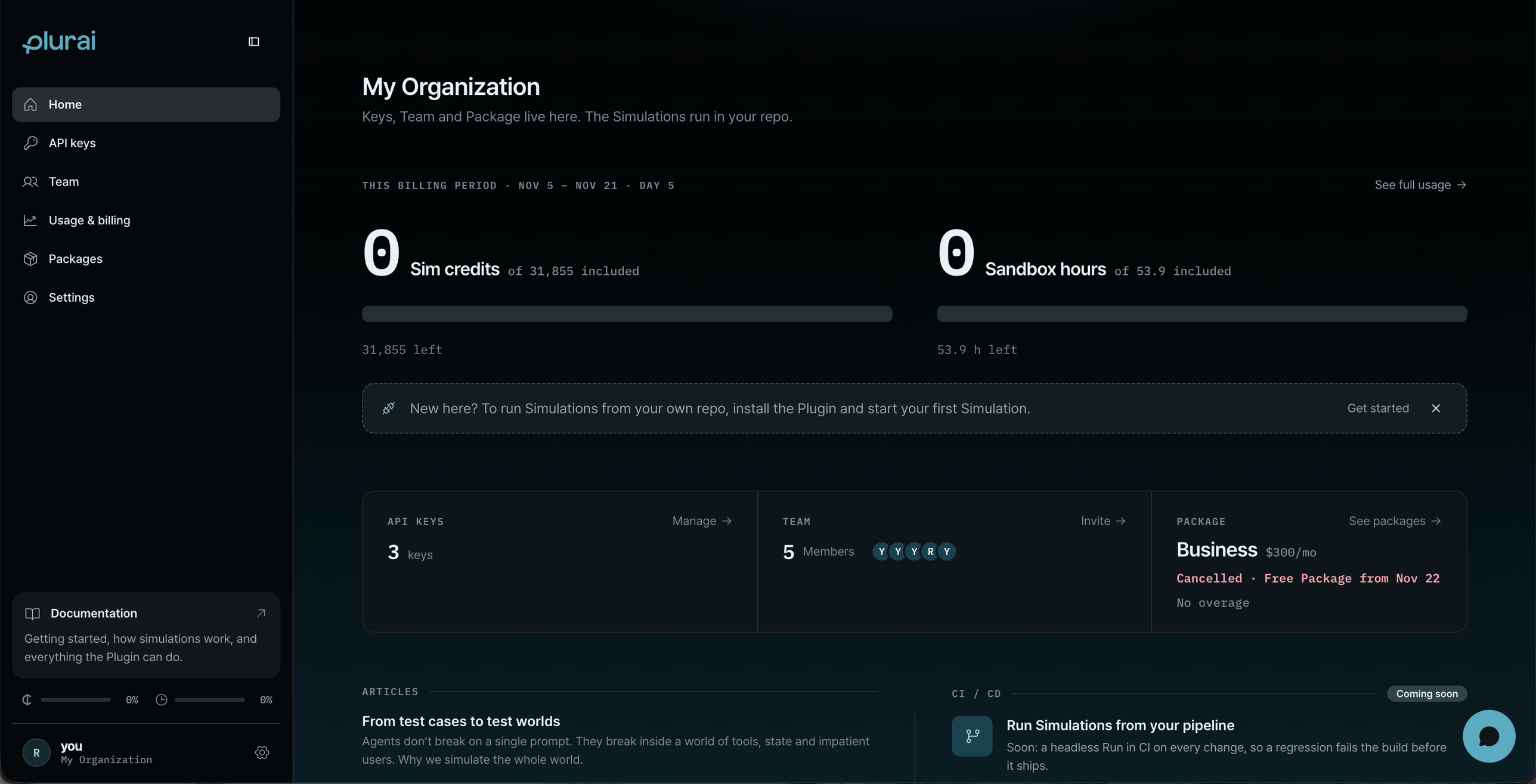
Home: this billing period's usage, with your keys, team and package below.
Track usage
Usage & billing (admins) shows how much of your package you’ve used this billing period, in Sim credits and Sandbox hours, and what each part of the work used. We let you know at 80% and 100% of what your package includes.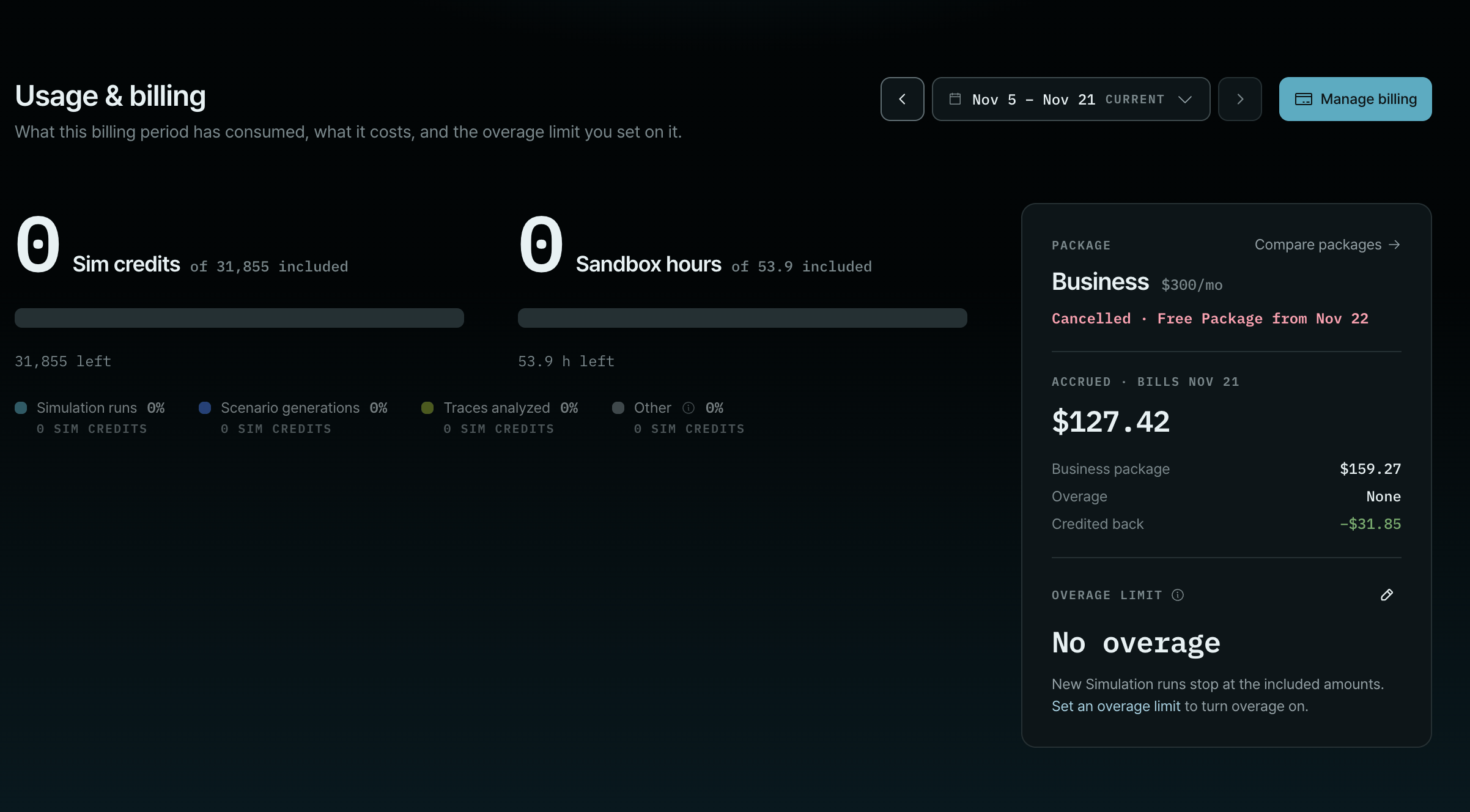
Usage & billing: what you've used, what it costs, and your overage limit.
Upgrade or change your package
Packages (admins) compares the packages and estimates your monthly cost. From there you can upgrade, switch to Free, or contact us about a custom package.Add members
Team lets you invite teammates by email, as an Admin or a Member. Admins can manage keys, billing and members. Members are free on every package: everyone shares your organization’s usage.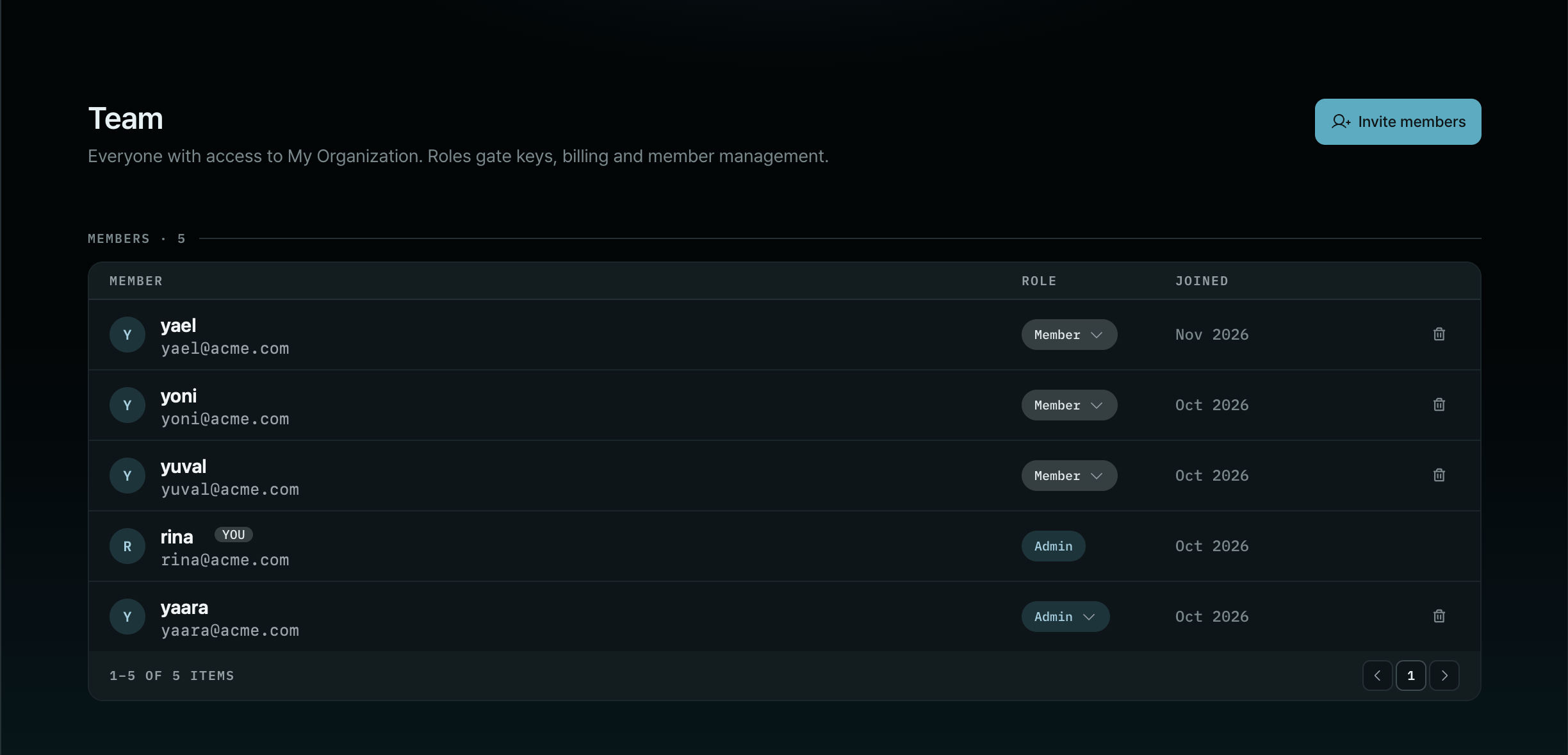
Team: everyone in your organization, with their role.
Add service keys for CI
API keys is where you create keys:- Private keys belong to one member, for local tools and experiments.
- Service keys belong to a service account, not a person, for servers and deployments.
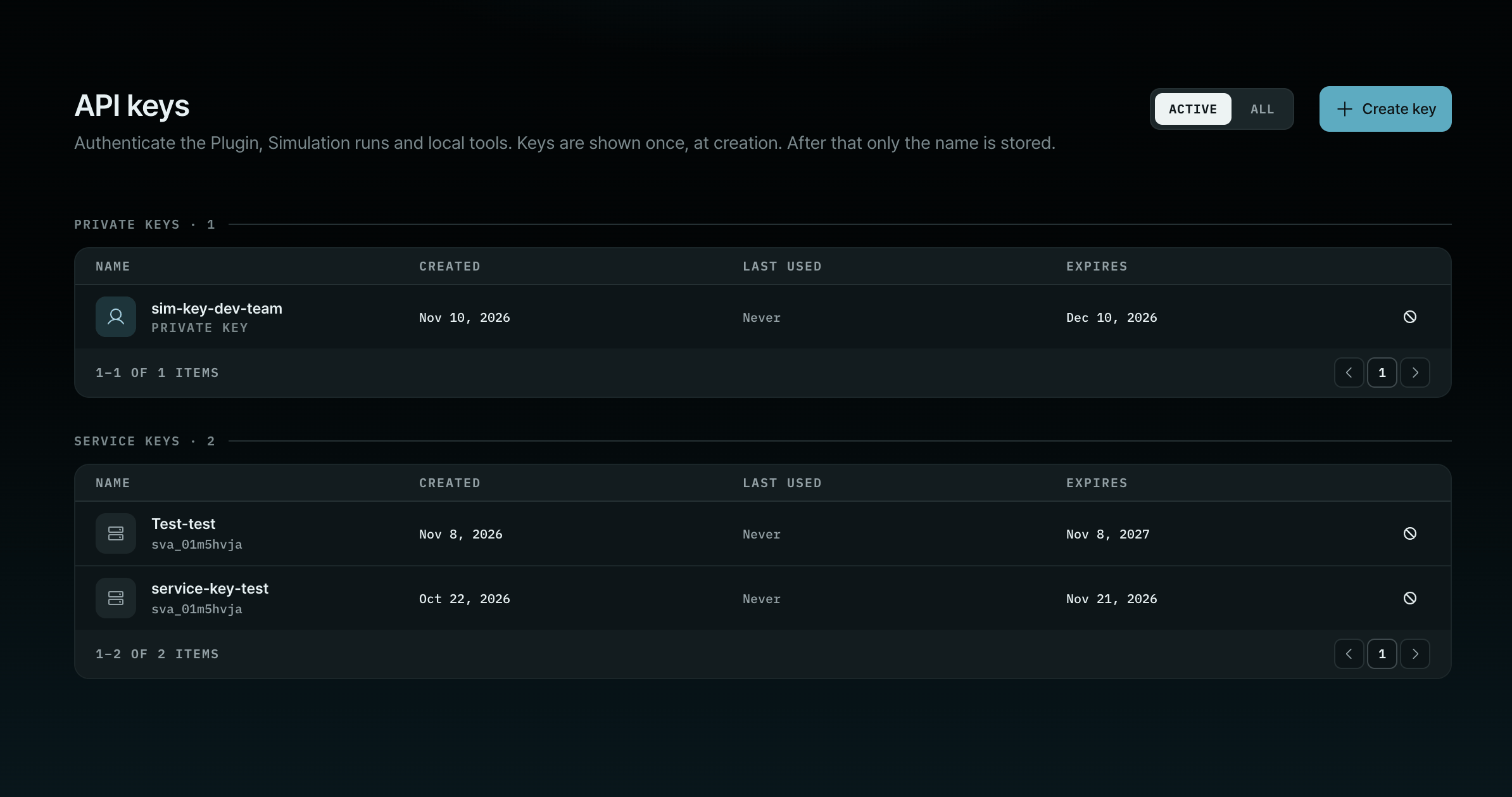
API keys: private keys for people, service keys for machines.
You can already create a service key and use it as a token: export
PLURAI_URL and PLURAI_TOKEN on the
machine that runs the simulation. Full CI pipeline support is coming soon. Until then, see
Run unattended.Your profile
Select Settings to manage your own account: your profile picture, your email addresses, connected sign-in accounts and, under Security, your sign-in options.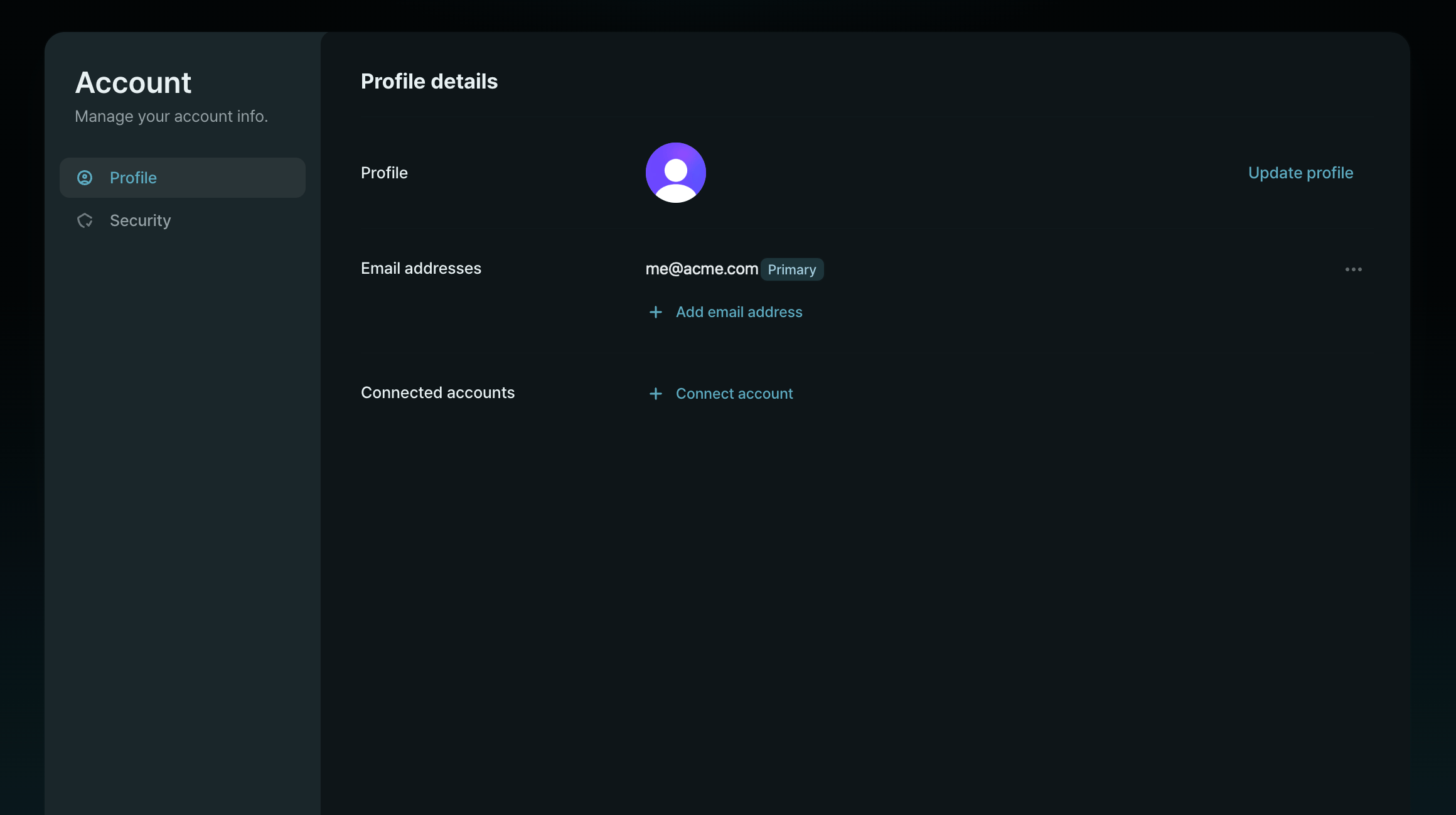
Your account: profile, email addresses and connected accounts.