

Not just a score
Each gap says what went wrong, not only that something did.Traced to the source
The moment in the conversation and the place in your agent that caused it.Worst first
Ranked by severity, so your time goes to what matters most.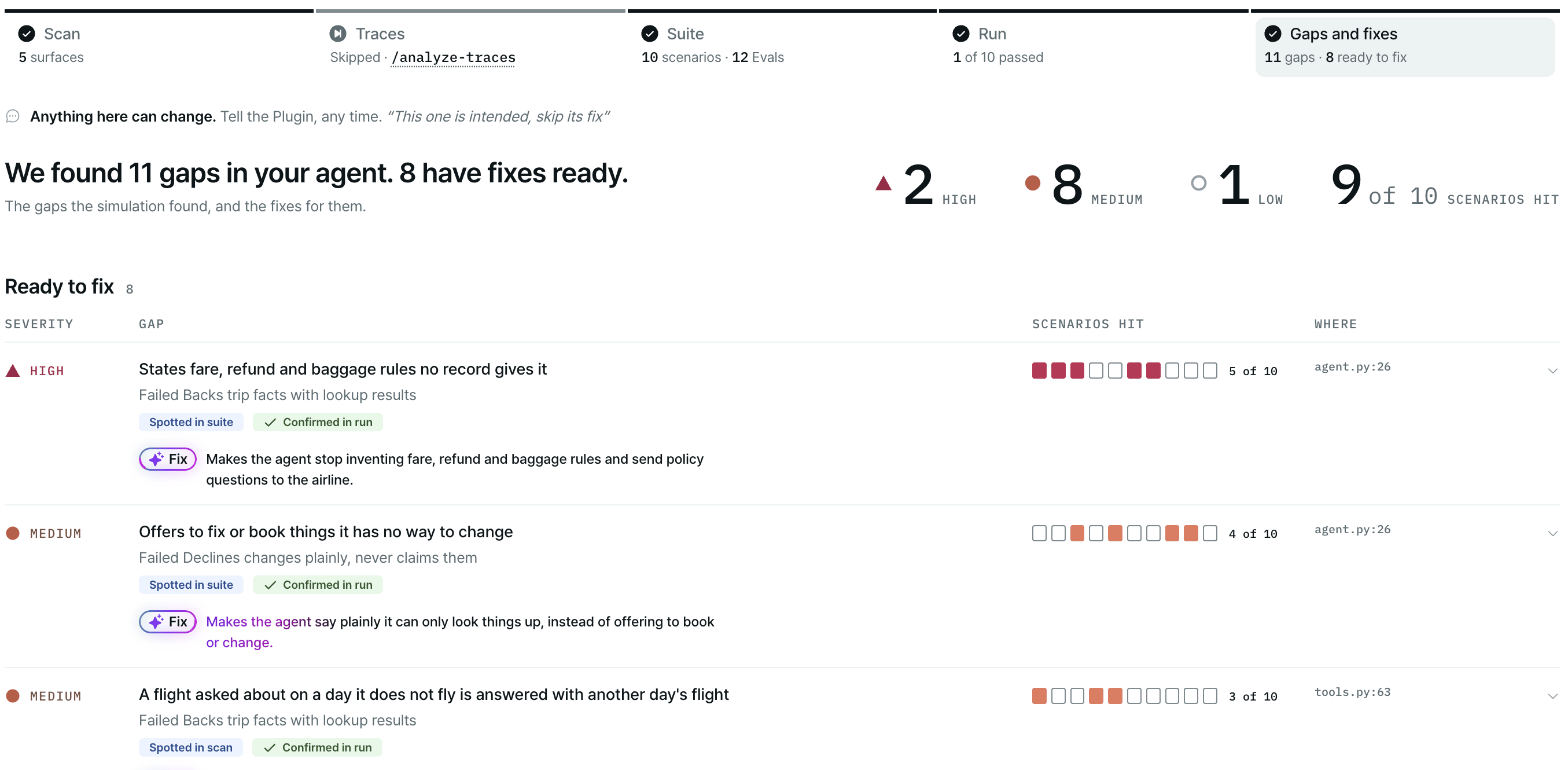
Gaps and fixes: every gap ranked by severity, with how many scenarios it hit.
Decide what comes first
Look at two things together:- Severity. Critical and High gaps are ones users will notice or that can cause harm. Fix those before you ship.
- Scenarios hit. A gap that shows up in many scenarios affects many users.
Know whose problem it is
Each gap says where the fix belongs:- Agent: a real problem in your agent. This is what you’re here to find.
- Test setup: a problem in how the test was set up, not in your agent.
- Mock environment: a problem in the simulated systems.