

#gaps). The fixes stage fills in each gap’s diagnosis and fix on
the same stage, so #fixes opens it too.
The gaps the simulation found, and the fixes for them.
A gap is one confirmed failure of your agent. Several failing conversations can share one gap.
Every gap, worst first
The top of the section is a ledger: one mark per gap, grouped by severity, most severe first. Point at a mark to see the gap’s title. Select it to jump to the gap.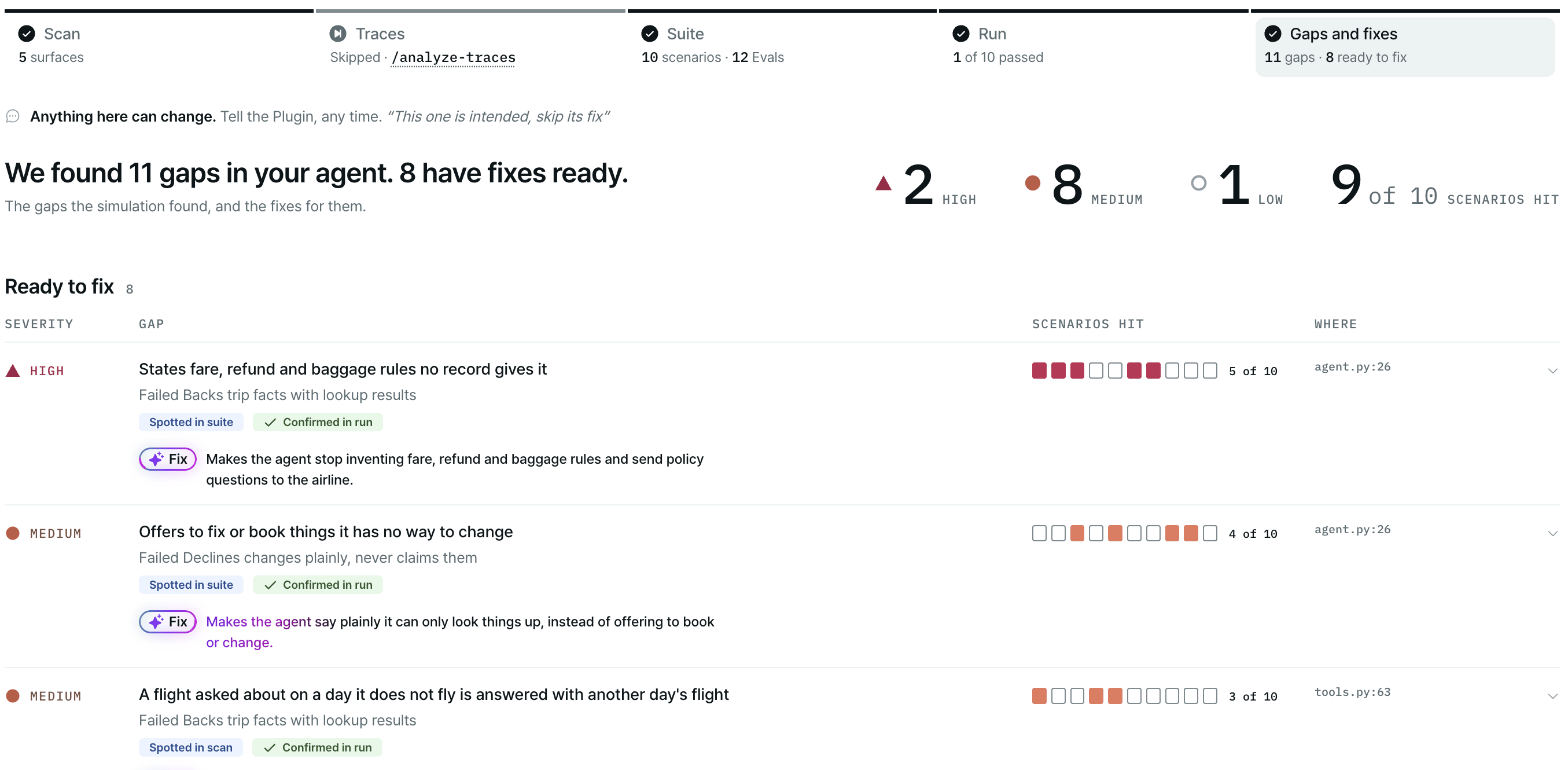
Every gap ranked by severity, with where it broke and its proposed fix.
Severity
The gap list
Each row is one gap:
A figure next to the list draws the routes through your agent’s flows, colored by the worst gap on each.
The scenarios a gap hit are drawn heavier, so you see which flows a gap lives in.
Select a gap to expand it, or link to it with
#gap-<gap id>.
Inside a gap
A gap from a previous Run says Diagnosed on an earlier Run.
Fix status
The fixes stage never edits your agent’s code on its own. It proposes each fix, and applies one only
after you accept that specific fix in chat. See Fix and keep regressions.
A pass on one Run after a fix can be chance. A verification marked weak signal, or the note Run-to-run
noise is unknown, so one Run can’t tell a fix from chance, means you should run the suite again before
you trust it.
Potential gaps
Suspected while reading the code or building the Suite. None is confirmed; each needs your call. Below the confirmed gaps, the page lists Potential · may be intended gaps. These are behaviors the scan or the suite build flagged that may be on purpose. Each one shows:
Tell the agent in chat whether each one is intended.
Kept as regressions
Each replays the turn its gap was confirmed on, so the next build of the Suite catches it if it comes back. When you accept a fix for an agent gap, the conversation that exposed it is saved as a regression before the fix is applied. The next suite build turns it into a scenario that replays that turn. In the suite, it carries the provenance A Regression.
If nothing was kept, the section says No gap was kept as a regression.
Next steps
Fix and keep regressions
Accept a fix, verify it, and keep the regression.
Run results
Open the conversations behind a gap.